

FLUX.1 Kontext [dev] on Intel Arc Pro B50

Can the Intel Arc Pro B50 run FLUX.1 Kontext [dev]?
Barely: it runs very slowly (tight fit)
Very slow (tight fit). At Q4 GGUF it needs about 15.5 GB of 16.0 GB usable and takes about 3.0 min per image.
- Best precision
Q4 GGUF- Memory mode
- Everything on GPU
- Time per image
- 3.0 min
- Output
- 1024×1024, 28 steps
Best app to run it on the Intel Arc Pro B50
On Windows
- Runs this model with built-in or popular custom nodes; GGUF files load with ComfyUI-GGUF.

On Linux
- Runs this model with built-in or popular custom nodes; GGUF files load with ComfyUI-GGUF.
Download FLUX.1 Kontext [dev]
Recommended for the Intel Arc Pro B50: q4_gguf. Every other precision has its own download link in the table below.
Quantized files · GGUF for ComfyUI
Smaller GGUF versions for ComfyUI (with the ComfyUI-GGUF node). No sign-in needed; the model’s license still applies.
Download the q4_gguf (Q4_K_S) file (opens in a new tab)
huggingface.co/QuantStack/FLUX.1-Kontext-dev-GGUF (opens in a new tab)
Original weights · Hugging Face
Full-precision files from Black Forest Labs, for fine-tuning, vLLM, Transformers, Diffusers or ComfyUI.
huggingface.co/black-forest-labs/FLUX.1-Kontext-dev (opens in a new tab)
Official repo · GitHub
Reference code, inference scripts and docs from Black Forest Labs. The weights themselves download from Hugging Face.
github.com/black-forest-labs/flux (opens in a new tab)
git clone https://github.com/black-forest-labs/fluxHow it’s rated
Match score
To order lists, each result also gets a match score out of 100 from four parts. It favors the most capable model that still runs well.
| Model quality | 34.3 / 45 | |
|---|---|---|
| Memory fit | 23.0 / 25 | |
| Speed | 3.5 / 15 | |
| Memory use | 15.0 / 15 | |
| Match score | 75.8 / 100 |
Every precision on the Intel Arc Pro B50
| Quant | Memory needed | Available | Speed | Memory mode | Runs | Quality | Download |
|---|---|---|---|---|---|---|---|
FP16 | 11.6 GB | 16.0 GB | 3.3 min | Sequential CPU offload | Very slowCPU offload | 82Great quality (A) · 82 of 100: how capable the model is at FP16, whatever it runs on. Match score 67/100 (quality, fit, speed and memory use) sets the ranking. | Original weights (opens in a new tab) |
FP8 | 15.4 GB | 16.0 GB | 2.4 min | Text encoder offloaded | Very slowtight fit · encoder in RAM | 80Great quality (A) · 80 of 100: how capable the model is at FP8, whatever it runs on. Match score 73/100 (quality, fit, speed and memory use) sets the ranking. | Original weights (opens in a new tab) |
Q8 GGUF | 7.7 GB | 16.0 GB | 3.8 min | Sequential CPU offload | Very slowCPU offload | 81Great quality (A) · 81 of 100: how capable the model is at Q8 GGUF, whatever it runs on. Match score 62/100 (quality, fit, speed and memory use) sets the ranking. | GGUF (opens in a new tab) |
Q4 GGUF | 15.5 GB | 16.0 GB | 3.0 min | Everything on GPU | Very slowtight fit | 76Great quality (A) · 76 of 100: how capable the model is at Q4 GGUF, whatever it runs on. Match score 75/100 (quality, fit, speed and memory use) sets the ranking. | GGUF (opens in a new tab) |
Other hardware that runs it
-
80Great quality (A) · 80 of 100: how capable the model is at FP8, whatever it runs on. Match score 87/100 (quality, fit, speed and memory use) sets the ranking.
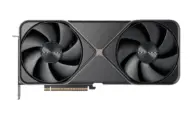 NVIDIA GeForce RTX 5090
-
80Great quality (A) · 80 of 100: how capable the model is at FP8, whatever it runs on. Match score 86/100 (quality, fit, speed and memory use) sets the ranking.
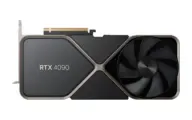 NVIDIA GeForce RTX 4090
-
80Great quality (A) · 80 of 100: how capable the model is at FP8, whatever it runs on. Match score 86/100 (quality, fit, speed and memory use) sets the ranking.
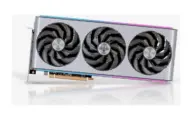 AMD Radeon RX 7900 XTX
-
80Great quality (A) · 80 of 100: how capable the model is at FP8, whatever it runs on. Match score 83/100 (quality, fit, speed and memory use) sets the ranking.
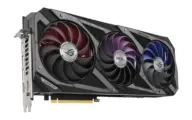 NVIDIA GeForce RTX 3090
-
82Great quality (A) · 82 of 100: how capable the model is at FP16, whatever it runs on. Match score 82/100 (quality, fit, speed and memory use) sets the ranking.
 NVIDIA RTX PRO 6000 Blackwell
-
76Great quality (A) · 76 of 100: how capable the model is at Q4 GGUF, whatever it runs on. Match score 80/100 (quality, fit, speed and memory use) sets the ranking.
 AMD Radeon RX 9070 XT
Quick answers
How much memory does FLUX.1 Kontext [dev] need on the Arc Pro B50 16GB?
At Q4 GGUF it needs about 15.5 GB. The Arc Pro B50 16GB has 16.0 GB usable.
How long does FLUX.1 Kontext [dev] take on the Arc Pro B50 16GB?
About 3.0 min per image at Q4 GGUF and default settings, an estimate scaled from a reference timing by this hardware’s compute speed.
Estimates come from published hardware specs and our open formulas, not from running the model on your machine. Real speed varies with runtime, drivers and settings. Numbers marked “Measured” come from a linked benchmark.