

Phi-3 Medium 128K Instruct on Apple M5 Pro (48 GB)

Can the Apple M5 Pro (48 GB) run Phi-3 Medium 128K Instruct?
Yes, it runs well
Runs well. At Q4_K_M it needs about 13.7 GB of 36.0 GB usable, with an estimated speed of 23.2 tok/s.
- Best quant
Q4_K_M- Generation speed
- 23.2 tok/s
- Prompt processing
- 417 tok/s
- First token (1K prompt)
- 2.5 s
- Largest safe context
- 114K
Best app to run it on the Apple M5 Pro (48 GB)
On macOS
- Runs the MLX build, typically 10–20% faster than GGUF for a model with 14B active parameters on Apple silicon.
- Point-and-click: search, download and chat in one window.
Download Phi-3 Medium 128K Instruct
Recommended for the Apple M5 Pro (48 GB): Q4_K_M. Every other quantization has its own download link in the table below.
Quickest · Ollama
One command downloads a ready-to-run version and starts a chat.
ollama run phi3:14b-medium-128k-instruct-q4_K_MQuantized files · GGUF
Works in LM Studio, llama.cpp, Jan and Ollama. No sign-in needed.
Download the Q4_K_M file (opens in a new tab)
huggingface.co/bartowski/Phi-3-medium-128k-instruct-GGUF (opens in a new tab)
ollama run hf.co/bartowski/Phi-3-medium-128k-instruct-GGUF:Q4_K_MOriginal weights · Hugging Face
Full-precision files from Microsoft, for fine-tuning, vLLM, Transformers.
huggingface.co/microsoft/Phi-3-medium-128k-instruct (opens in a new tab)
How it’s rated
Match score
To order lists, each result also gets a match score out of 100 from four parts. It favors the most capable model that still runs well.
| Model quality | 19.7 / 45 | |
|---|---|---|
| Memory fit | 25.0 / 25 | |
| Speed | 11.4 / 15 | |
| Memory use | 8.8 / 15 | |
| Match score | 64.9 / 100 |
Every quantization on the Apple M5 Pro (48 GB)
| Quant | Memory needed | Available | Speed | Runs | Quality | Download |
|---|---|---|---|---|---|---|
Q2_K | 10.7 GB | 36.0 GB | 38.2 tok/s | Runs great | 32Basic quality (D) · 32 of 100: how capable the model is at Q2_K, whatever it runs on. Match score 61/100 (quality, fit, speed and memory use) sets the ranking. | GGUF (opens in a new tab) |
Q3_K_M | 12.0 GB | 36.0 GB | 30.1 tok/s | Runs great | 38Basic quality (D) · 38 of 100: how capable the model is at Q3_K_M, whatever it runs on. Match score 63/100 (quality, fit, speed and memory use) sets the ranking. | GGUF (opens in a new tab) |
Q4_K_M | 13.7 GB | 36.0 GB | 23.2 tok/s | Runs well | 43Fair quality (C) · 43 of 100: how capable the model is at Q4_K_M, whatever it runs on. Match score 64/100 (quality, fit, speed and memory use) sets the ranking. | GGUF (opens in a new tab) |
Q5_K_M | 15.1 GB | 36.0 GB | 19.2 tok/s | Runs well | 44Fair quality (C) · 44 of 100: how capable the model is at Q5_K_M, whatever it runs on. Match score 65/100 (quality, fit, speed and memory use) sets the ranking. | GGUF (opens in a new tab) |
Q6_K | 16.6 GB | 36.0 GB | 16.1 tok/s | Runs well | 45Fair quality (C) · 45 of 100: how capable the model is at Q6_K, whatever it runs on. Match score 65/100 (quality, fit, speed and memory use) sets the ranking. | GGUF (opens in a new tab) |
Q8_0 | 20.0 GB | 36.0 GB | 11.8 tok/s | Runs well | 46Fair quality (C) · 46 of 100: how capable the model is at Q8_0, whatever it runs on. Match score 66/100 (quality, fit, speed and memory use) sets the ranking. | GGUF (opens in a new tab) |
F16 | 33.1 GB | 36.0 GB | 5.5 tok/s | Slowtight fit | 46Fair quality (C) · 46 of 100: how capable the model is at F16, whatever it runs on. Match score 65/100 (quality, fit, speed and memory use) sets the ranking. | Original weights (opens in a new tab) |
Memory figures assume 8K of context. Longer conversations or documents grow the KV cache.
Other hardware that runs it
-
46Fair quality (C) · 46 of 100: how capable the model is at Q8_0, whatever it runs on. Match score 75/100 (quality, fit, speed and memory use) sets the ranking.
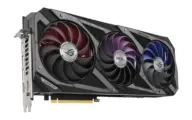 NVIDIA GeForce RTX 3090
-
46Fair quality (C) · 46 of 100: how capable the model is at Q8_0, whatever it runs on. Match score 75/100 (quality, fit, speed and memory use) sets the ranking.
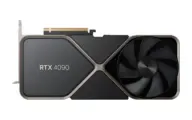 NVIDIA GeForce RTX 4090
-
44Fair quality (C) · 44 of 100: how capable the model is at Q5_K_M, whatever it runs on. Match score 75/100 (quality, fit, speed and memory use) sets the ranking.
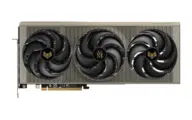 AMD Radeon RX 9070 XT
-
44Fair quality (C) · 44 of 100: how capable the model is at Q5_K_M, whatever it runs on. Match score 75/100 (quality, fit, speed and memory use) sets the ranking.
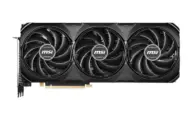 NVIDIA GeForce RTX 4070 Ti SUPER
-
44Fair quality (C) · 44 of 100: how capable the model is at Q5_K_M, whatever it runs on. Match score 75/100 (quality, fit, speed and memory use) sets the ranking.
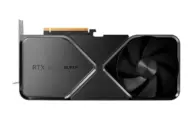 NVIDIA GeForce RTX 4080 SUPER
-
44Fair quality (C) · 44 of 100: how capable the model is at Q5_K_M, whatever it runs on. Match score 75/100 (quality, fit, speed and memory use) sets the ranking.
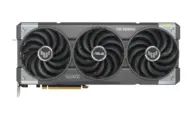 NVIDIA GeForce RTX 5070 Ti
Quick answers
How much memory does Phi-3 Medium 128K Instruct need on the M5 Pro 48GB?
At Q4_K_M it needs about 13.7 GB. The M5 Pro 48GB has 36.0 GB usable.
How fast is Phi-3 Medium 128K Instruct on the M5 Pro 48GB?
About 23.2 tok/s at Q4_K_M, an estimate from the hardware’s memory bandwidth and the size of the model.
Which quantization of Phi-3 Medium 128K Instruct should I use on the M5 Pro 48GB?
Q4_K_M. Of the versions that fit, it is the one that runs best; when two run equally well, the check prefers the higher-rated one.
Estimates come from published hardware specs and our open formulas, not from running the model on your machine. Real speed varies with runtime, drivers and settings. Numbers marked “Measured” come from a linked benchmark.