

Video models · Tencent

HunyuanVideo I2V 13B
- Backbone
- 13.0B
- Native output
- 1280×720, 129 frames
- Default steps
- 50
- License
- tencent-hunyuan-community
- Released
- 2025-03
How to run it
Quantized files · GGUF for ComfyUI
Smaller GGUF versions for ComfyUI (with the ComfyUI-GGUF node). No sign-in needed; the model’s license still applies.
huggingface.co/city96/HunyuanVideo-I2V-gguf (opens in a new tab)
Original weights · Hugging Face
Full-precision files from Tencent, for fine-tuning, vLLM, Transformers, Diffusers or ComfyUI.
huggingface.co/tencent/HunyuanVideo-I2V (opens in a new tab)
Official repo · GitHub
Reference code, inference scripts and docs from Tencent. The weights themselves download from Hugging Face.
github.com/Tencent-Hunyuan/HunyuanVideo-I2V (opens in a new tab)
git clone https://github.com/Tencent-Hunyuan/HunyuanVideo-I2VApps that run HunyuanVideo I2V 13B
Our pick for each kind of computer, assuming the model fits in its memory. Pick your own GPU or device in the Model Finder for an exact answer.
| App | Type | Opens it as | Systems | Engine | Start |
|---|---|---|---|---|---|
| ComfyUI | Desktop app | Original or GGUF | macOSWindowsLinux | Get ComfyUI | |
 SwarmUI |
Desktop app | Original or GGUF | macOSWindowsLinux | Get SwarmUI | |
| SD.Next | Desktop app | Original or GGUF | macOSWindowsLinux | Get SD.Next | |
 Stability Matrix |
Desktop app | Original or GGUF | macOSWindowsLinux | Get Stability Matrix | |
 WanGP |
Desktop app | Built-in support | WindowsLinux | Get WanGP |
Memory needed
Peak GPU memory at the native output size. Offloading moves the text encoder, or the whole pipeline, to system RAM between steps.
| Precision | Everything on GPU | Text encoder offloaded | Sequential offload | Download |
|---|---|---|---|---|
FP16 | 64.8 GB | 48.6 GB | 31.2 GB | Original weights (opens in a new tab) |
FP8 | 43.7 GB | 35.6 GB | 26.6 GB | Original weights (opens in a new tab) |
Q8 GGUF | 44.6 GB | 36.5 GB | 27.0 GB | GGUF (opens in a new tab) |
Q4 GGUF | 38.5 GB | 30.4 GB | 24.8 GB | GGUF (opens in a new tab) |
Components
- Backbone: 13B
- VAE: 0.25B
- LLaVA-Llama-3 8B: 8B
- CLIP-L: 0.123B
Best hardware for HunyuanVideo I2V 13B
The least expensive GPU in our catalog that runs it without offloading is the Intel Arc Pro B70 (launch price $949) at Q4 GGUF.
| Quality | Hardware | Quant | Memory | Speed | Runs |
|---|---|---|---|---|---|
| 72Great quality (A) · 72 of 100: how capable the model is at FP16, whatever it runs on. Match score 77/100 (quality, fit, speed and memory use) sets the ranking. | 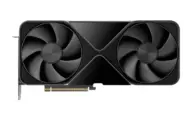 NVIDIA RTX PRO 6000 Blackwell |
FP16 | 64.8 GB / 96.0 GB | 29.3 min | Slow |
| 70Great quality (A) · 70 of 100: how capable the model is at FP8, whatever it runs on. Match score 62/100 (quality, fit, speed and memory use) sets the ranking. | 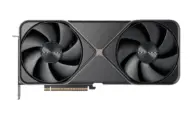 NVIDIA GeForce RTX 5090 |
FP8 | 26.6 GB / 32.0 GB | 39.1 min | SlowCPU offload |
| 72Great quality (A) · 72 of 100: how capable the model is at FP16, whatever it runs on. Match score 77/100 (quality, fit, speed and memory use) sets the ranking. |  NVIDIA GH200 Grace Hopper (96 GB GPU) |
FP16 | 64.8 GB / 96.0 GB | 27.9 min | Slow |
| 72Great quality (A) · 72 of 100: how capable the model is at FP16, whatever it runs on. Match score 77/100 (quality, fit, speed and memory use) sets the ranking. |  NVIDIA H100 80GB SXM |
FP16 | 64.8 GB / 80.0 GB | 27.9 min | Slow |
| 72Great quality (A) · 72 of 100: how capable the model is at FP16, whatever it runs on. Match score 77/100 (quality, fit, speed and memory use) sets the ranking. | 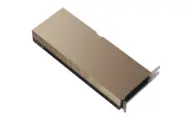 NVIDIA H800 80GB SXM |
FP16 | 64.8 GB / 80.0 GB | 27.9 min | Slow |
| 72Great quality (A) · 72 of 100: how capable the model is at FP16, whatever it runs on. Match score 77/100 (quality, fit, speed and memory use) sets the ranking. | 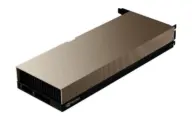 NVIDIA H100 NVL |
FP16 | 64.8 GB / 94.0 GB | 30.2 min | Slow |
| 72Great quality (A) · 72 of 100: how capable the model is at FP16, whatever it runs on. Match score 77/100 (quality, fit, speed and memory use) sets the ranking. | 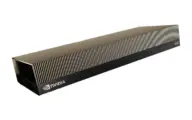 NVIDIA RTX PRO 6000 Blackwell Server Edition |
FP16 | 64.8 GB / 96.0 GB | 30.2 min | Slow |
| 72Great quality (A) · 72 of 100: how capable the model is at FP16, whatever it runs on. Match score 76/100 (quality, fit, speed and memory use) sets the ranking. | 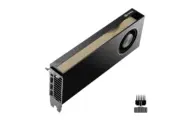 NVIDIA RTX PRO 6000 Blackwell Max-Q Workstation Edition |
FP16 | 64.8 GB / 96.0 GB | 32.3 min | Slow |
| 72Great quality (A) · 72 of 100: how capable the model is at FP16, whatever it runs on. Match score 76/100 (quality, fit, speed and memory use) sets the ranking. | 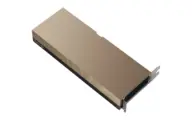 NVIDIA H100 80GB PCIe |
FP16 | 64.8 GB / 80.0 GB | 34.0 min | Slow |
| 70Great quality (A) · 70 of 100: how capable the model is at FP8, whatever it runs on. Match score 74/100 (quality, fit, speed and memory use) sets the ranking. | 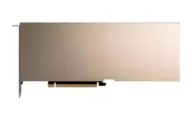 NVIDIA L40S |
FP8 | 43.7 GB / 48.0 GB | 33.3 min | Slowtight fit |
Estimates come from published hardware specs and our open formulas, not from running the model on your machine. Real speed varies with runtime, drivers and settings. Numbers marked “Measured” come from a linked benchmark.